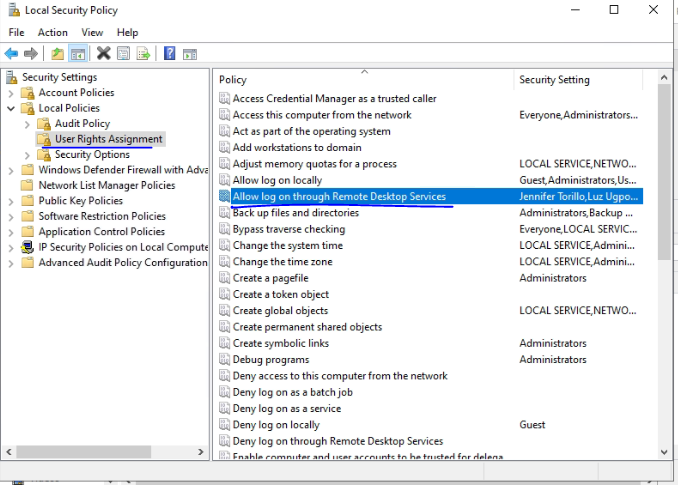
Prompt when login: To sign in remotely, you need the right to sign in through remote desktop services.
Run secpol.msc
Go to Local Policies > User Rights Assignment > Allow log on through Remote Desktop Services
Add the User to the Group
Same for the Deny function